Fortesca

Food, fasting, training and steps in one app.

Built for running a cut. Fortesca shows what to do right now, and it tells you when to change your plan and when to leave it alone.

Open FortescaSwitching from MyFitnessPal?

Free during early access. No account, no ads, works offline. Fortesca used to be called Plate.
Screens, with example data
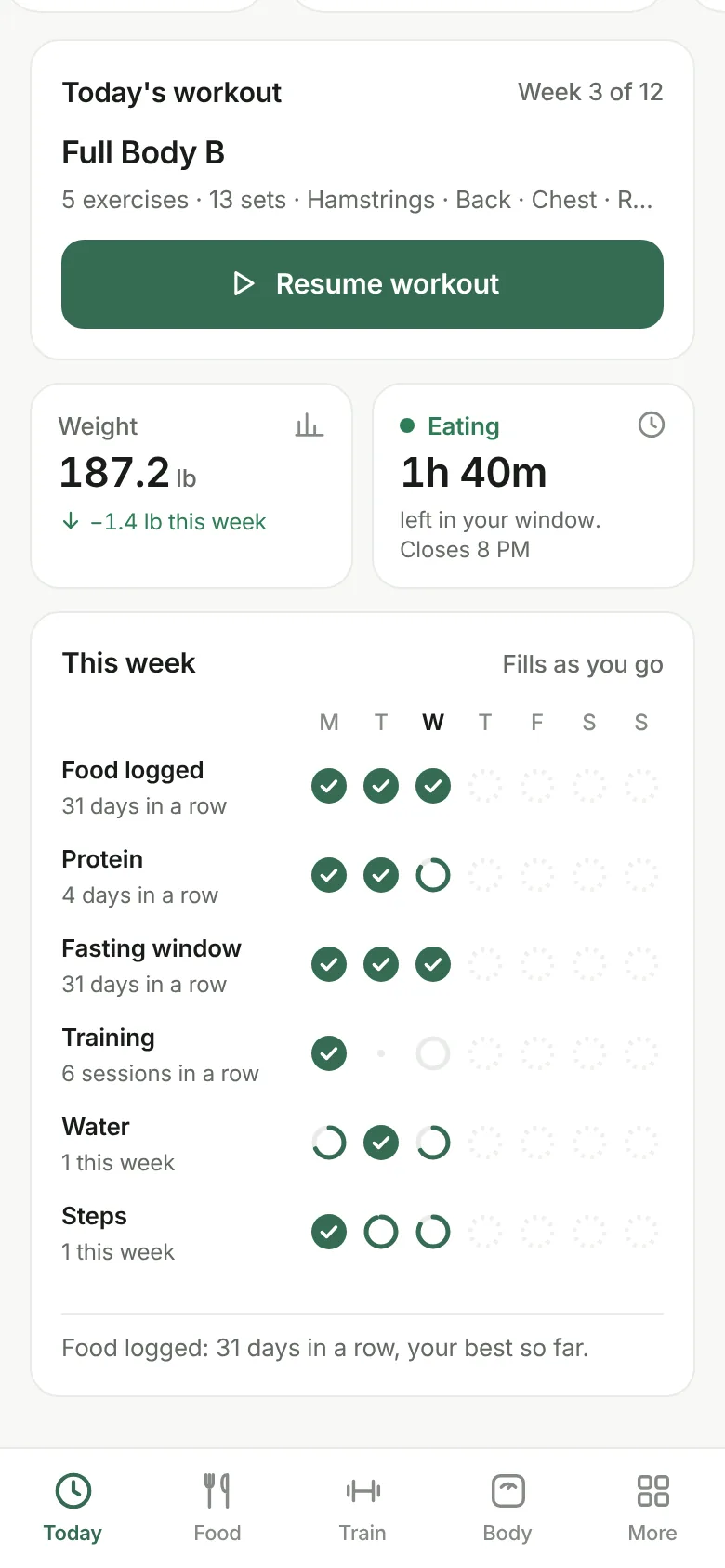
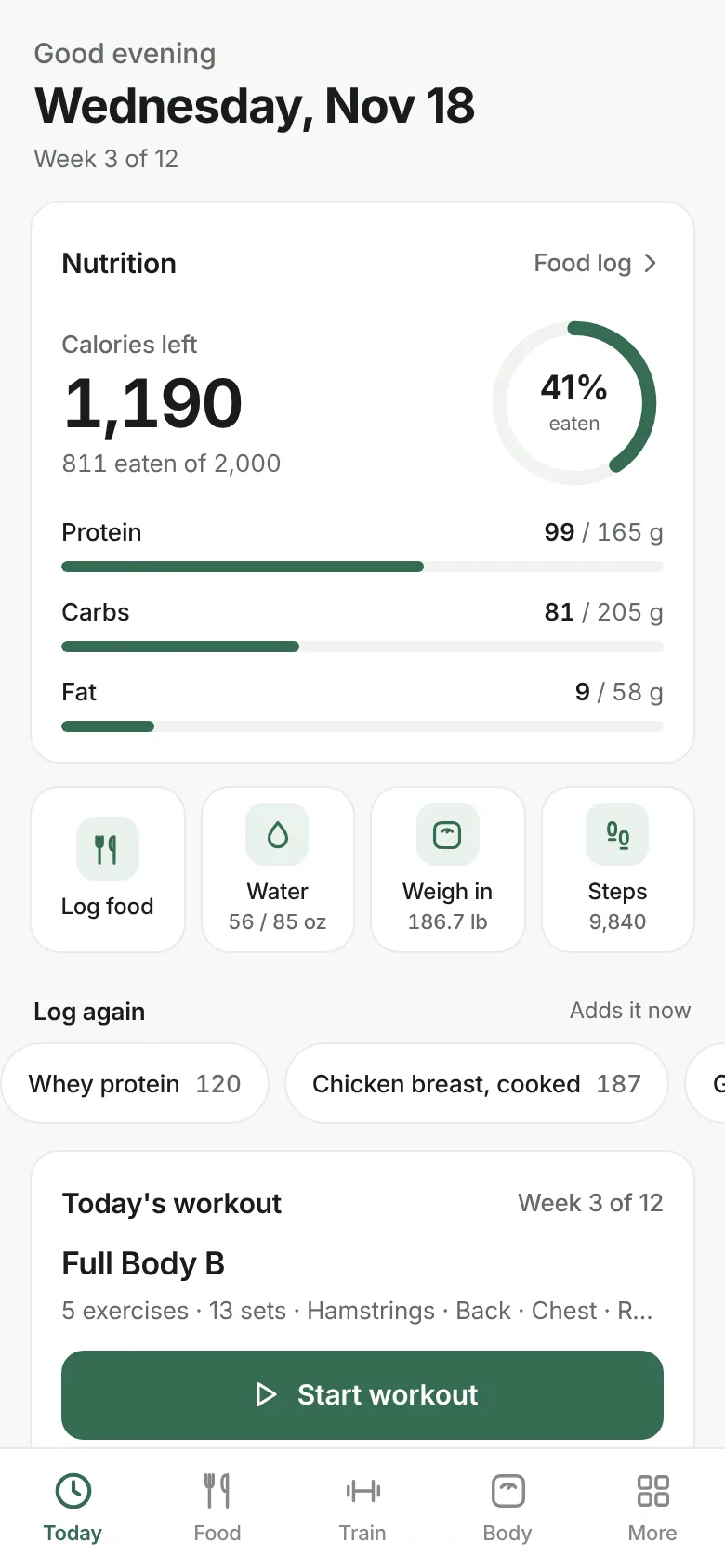
Today screen: eating window countdown, calories and macros left, today's workout, weight, steps and fasting streak
TodayYour window, what's left to eat, and today's workout.
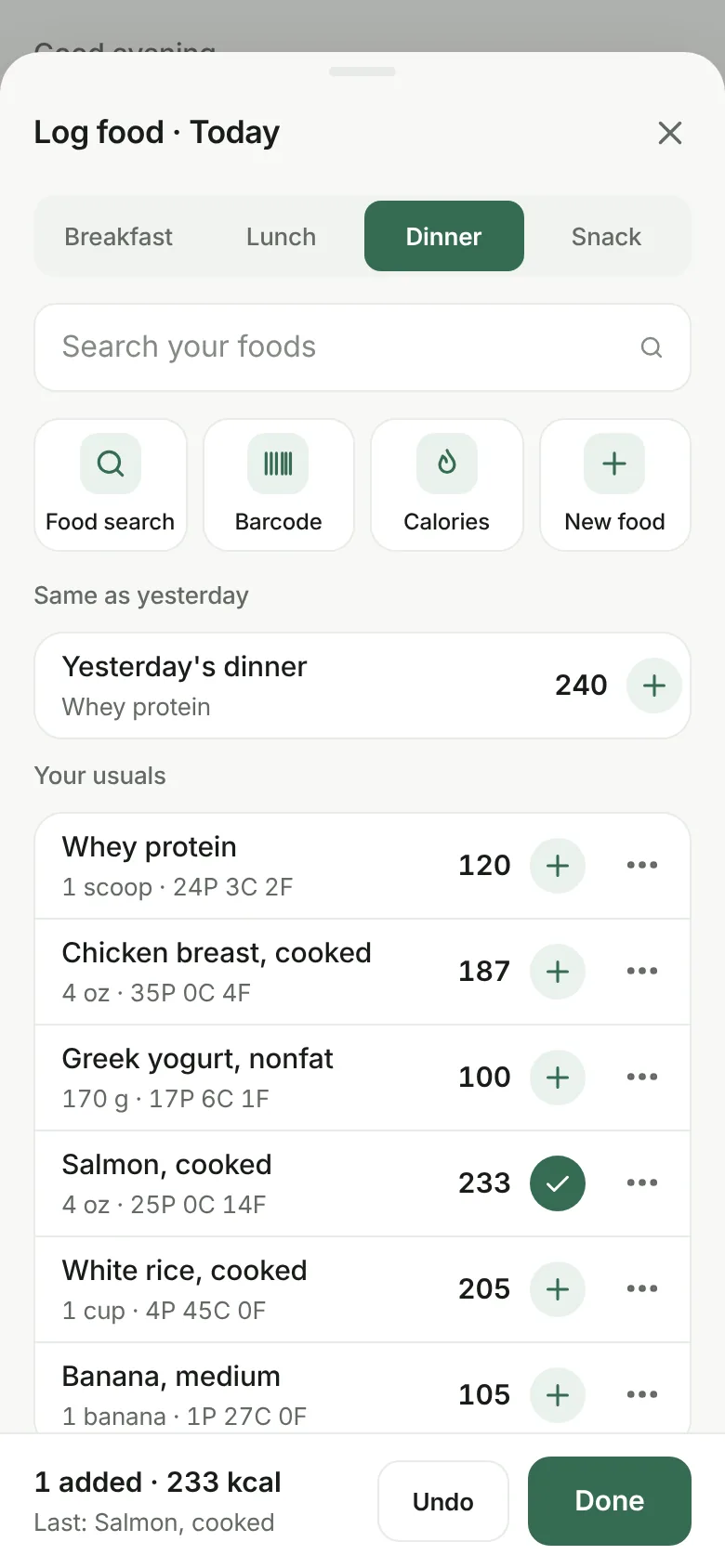
Log food sheet: meal tabs, search, food search, barcode and quick calories buttons, yesterday's meal and recent foods with one-tap add
LoggingOne tap per food, and the list stays open for the next one.
This week card: a row of seven circles each for food logged, protein, fasting window, training and water, filled on the days each was hit, with streak counts
Your weekA circle per day that fills as you go. Missed days stay empty, never red.
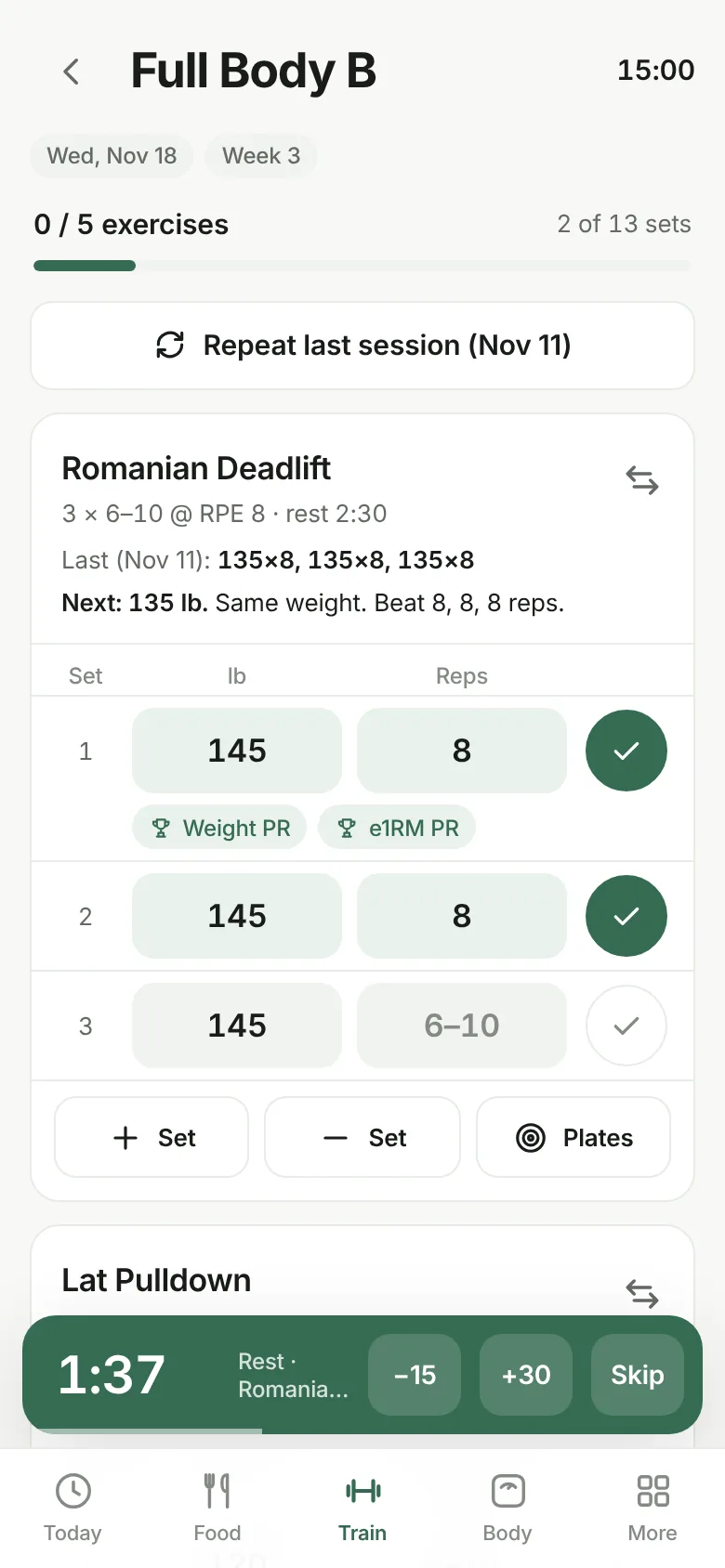
Workout screen: sets with weight and reps, last session's numbers, personal record badges and a rest timer
TrainingLast time's numbers, the next weight to use, and a rest timer.
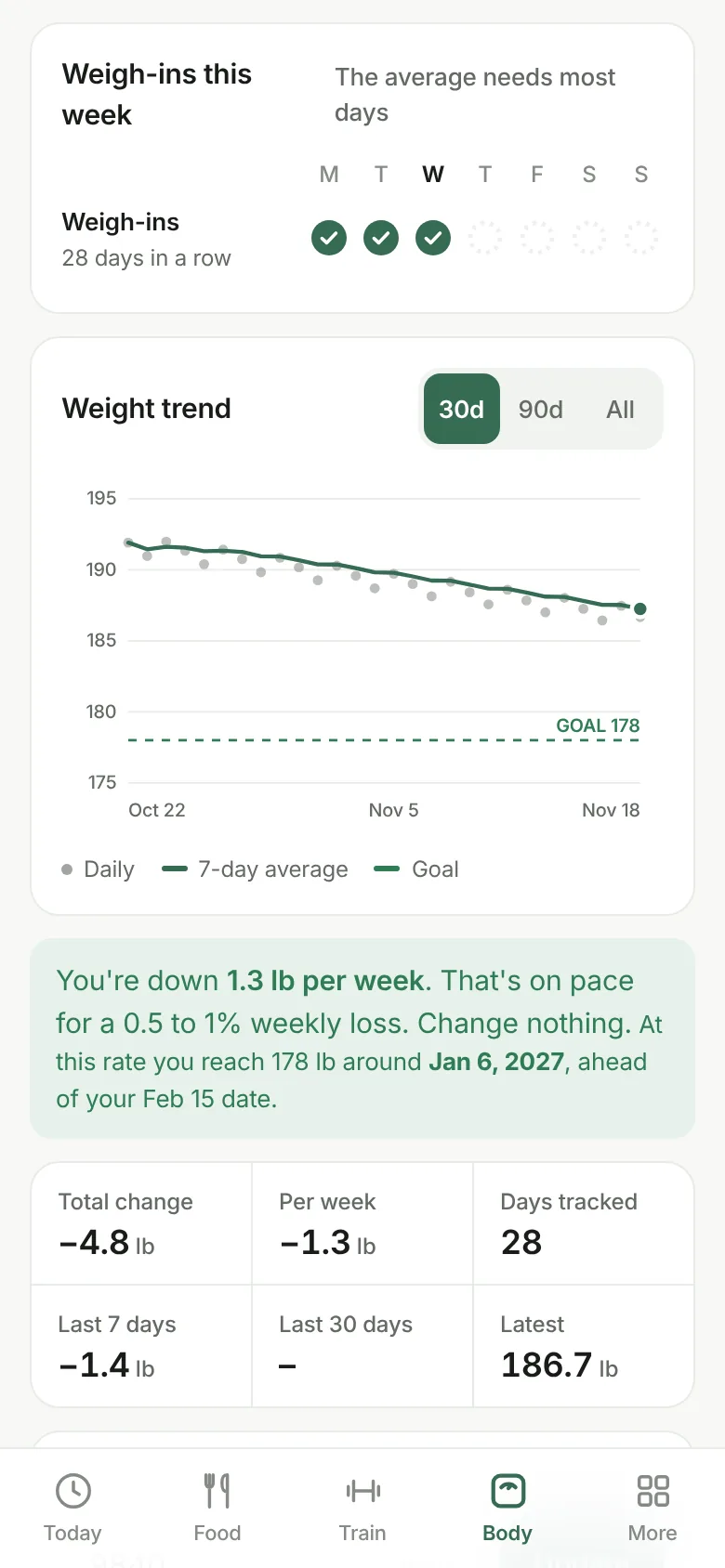
Body screen: weight chart with 7-day average and goal line, weekly rate and stats
Weight trendThe 7-day average, so daily swings don't fool you.
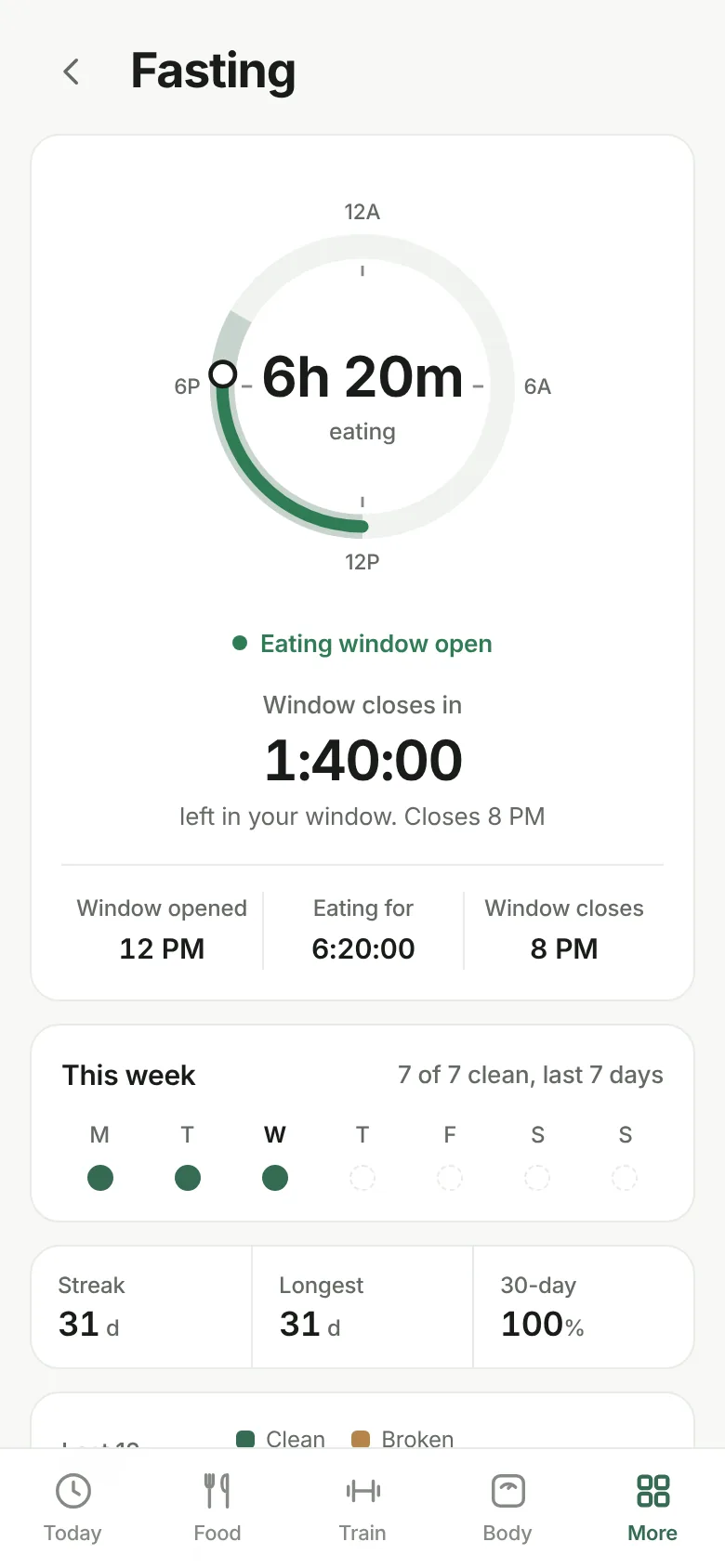
Fasting screen: 24-hour dial, live countdown, streaks and a 12-week calendar
FastingA live countdown and a streak worked out from what you log.
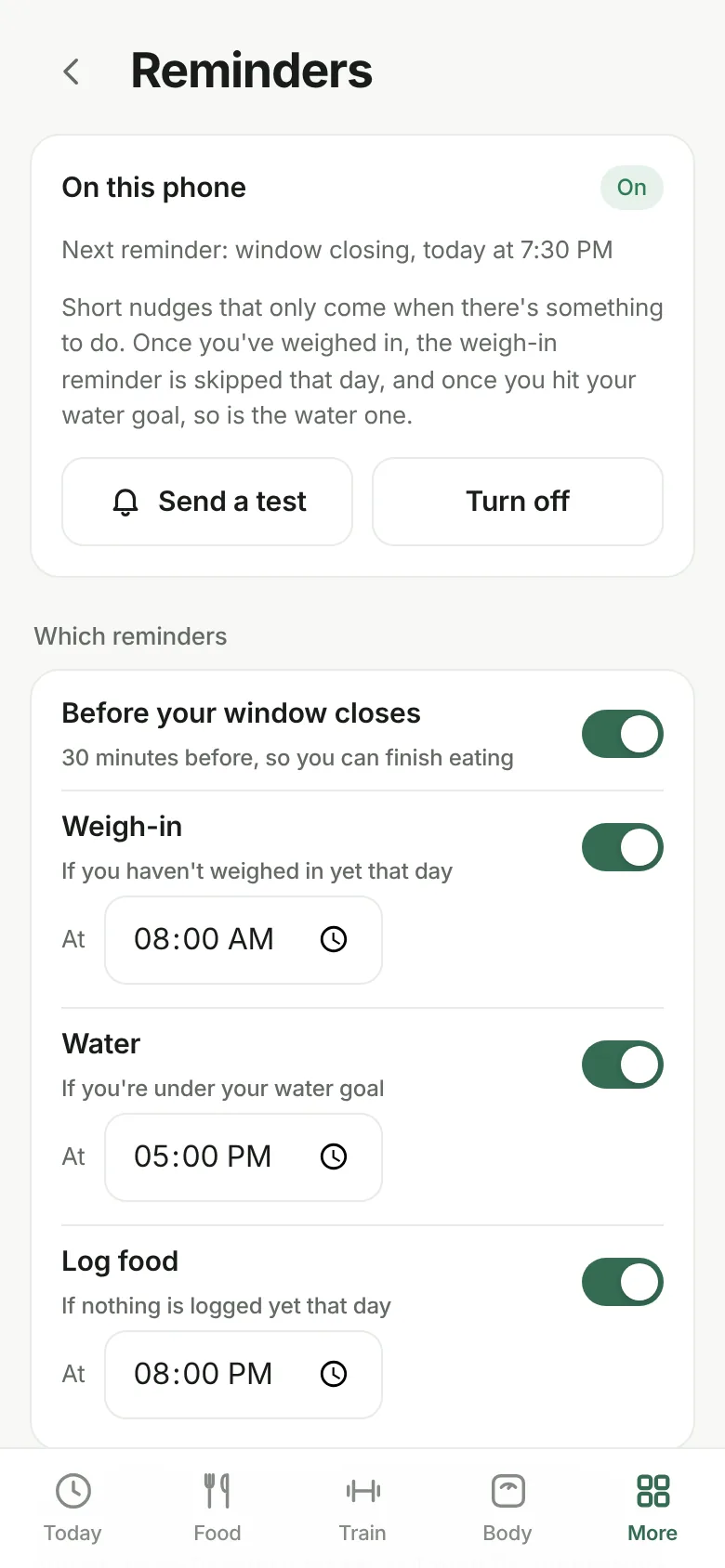
Reminders screen: nudges before the eating window closes, for weigh-in, water and logging, each with a time
RemindersOnly when there's something left to do today.
Why people switch

We read the one-star reviews of the big trackers. Here's what Fortesca does about them.

"Barcode scanning went behind a paywall."Food search and barcode scanning are included, no account needed. On iPhone you type the number for now.
"A video ad after every few entries."No ads. Not now, not on a free tier.
"Logging takes too many taps."One tap adds a food and keeps the list open for the next one. Copy yesterday's lunch in one tap.
"The database says a banana is 27 calories."Search uses USDA data and shows where each number came from. Fix a food once and your version is the one that's kept.
"Red numbers and streaks that make me feel bad."Going over shows in amber, not red. Missed days on your week stay empty, and a day you haven't finished never breaks a streak.
"The reminders nag me about things I already did."Reminders skip what's done: no weigh-in nudge once you've weighed in, no water nudge once you've hit your goal.
"I have to make an account just to use it on my tablet."Sync with Face ID or a fingerprint, no email or password. Your log is locked on your phone before it's sent, so not even we can read it.
"Switching apps means losing years of history."Bring your food log, weigh-ins and workouts from MyFitnessPal, Cronometer, Lose It, MacroFactor, Strong or Hevy. The files are read on your phone.
"I can't get my data out."Export a full backup or spreadsheets any time. Delete everything with one button.
What's different

It changes one thing at a time, and only when your numbers say so.

Knows when you've stalled

When your weekly average has been flat for two weeks and your waist hasn't moved, Fortesca suggests one change: 150 fewer calories or 1,500 more steps. Otherwise it tells you to hold steady.

A step baseline, not 10,000

Your first week sets your normal. After that Fortesca watches for the slow drift down that quietly stalls most cuts.

Training already planned

Pick a program and every session for the next 12 weeks goes on your calendar. Weights go up when you hit the top of your rep range on every set.

Fasting built in

Your eating window drives a live countdown, and each day's fast is worked out from what you log. No separate fasting app.

Ramadan mode

During Ramadan your window switches to maghrib through suhoor, worked out on your phone for your city, with iftar and suhoor targets.

Your week at a glance

One circle per day for logging, protein, your fasting window, training, water and steps. Each fills toward the day's goal, so you can see a good week building.

Private by design

No sign-up and no ads. Your log and progress photos stay on your phone. Food search sends only the words you type. Sync and reminders are optional, and the server never sees what you log.

Install

Put it on your home screen.

iPhone

  1. Open this site in Safari, then tap Open Fortesca.
  2. Tap Share at the bottom.
  3. Tap Add to Home Screen, then Add.

Android

  1. Open this site in Chrome, then tap Open Fortesca.
  2. Tap Install when Fortesca offers it, or the ⋮ menu, then Add to Home screen.

Install it before you start logging. On iPhone, Safari and the Home Screen app keep separate data. After the first open, Fortesca works without internet.